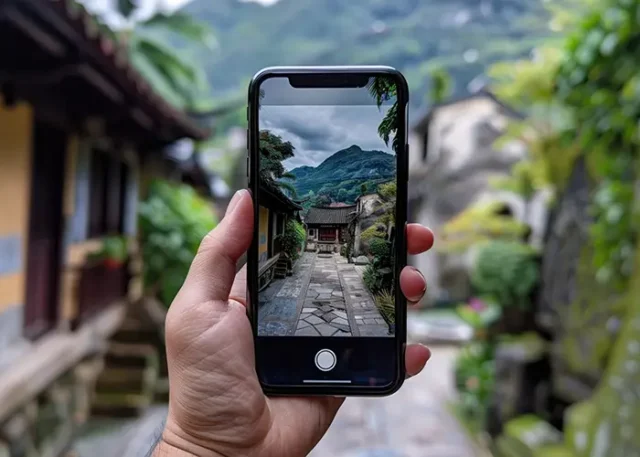
Travel photos preserve more than a location. They record weather, light, clothing, food, architecture, and the feeling of being somewhere unfamiliar. Many travelers want their images to look polished, but they also want the memories to remain believable.
AI filters can help improve a travel photo’s mood, color, and consistency. A creator can test a best ai filter to bring out a sunset, soften harsh light, or create a related look across several images. The filter should support the memory rather than change the trip into something that never happened.
Authentic editing does not mean leaving every photo untouched. It means making changes that improve presentation while preserving the important truth of the scene.
What Authenticity Means in Travel Content
Authenticity can mean different things to different creators. For some, it means showing the actual colors of a place. For others, it means keeping small imperfections that make the trip personal.
Before editing, decide what the photo is supposed to communicate:
- an accurate travel guide,
- a personal memory,
- a mood board,
- a social media story,
- a destination recommendation,
- an editorial travel feature.
A location guide needs more accurate color and detail than a personal creative post. Both can be edited, but the level of change should match the purpose.
Start With the Original Scene
Keep the original file before applying any effect. Compare the final image with the source so you can identify what actually changed.
Look at:
- sky color,
- water color,
- building materials,
- skin tones,
- vegetation,
- local clothing,
- food appearance,
- signs and text.
Travel images may be used to recommend a place, so changing a beach from gray to bright blue or making a narrow street look wider can create unrealistic expectations.
Filters for Different Travel Conditions
Travel photos are taken in many types of light.
Bright Midday
Strong sunlight can create hard shadows and washed-out highlights. A filter that gently lowers highlights and improves contrast may help.
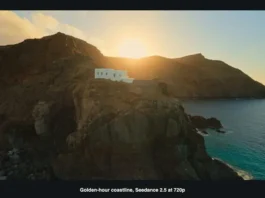
Golden Hour
Sunset light already contains warm tones. Avoid adding too much orange, or buildings and skin may look unnatural.
Cloudy Weather
A soft neutral or slightly warm filter can bring life to a gray scene without making the sky look fake.
Night Photography
A cooler filter may support city lights, but watch dark areas. Excessive contrast can remove detail from streets and buildings.
Indoor Locations
Museums, churches, markets, and restaurants often have mixed lighting. Preserve the original color of artwork, food, and materials when accuracy matters.
Keep Local Colors Believable
Color is part of place. The blue of the sea, the red of a market awning, or the color of a local dish can help viewers recognize the location.
Avoid filters that turn every photo into the same palette. A consistent feed is useful, but it should not remove the differences between destinations.
If a travel series includes several places, use one general editing approach while allowing each location to keep its own character.
People and Travel Portraits
Travel portraits should preserve the person’s appearance. Strong effects may change skin tone, clothing color, or facial details.
Check:
- face and hands,
- hair,
- clothing,
- local accessories,
- shadows,
- background people.
If a stranger appears in the background, consider cropping, blurring, or removing them only when the edit does not change the meaning of the scene. Obtain permission when a person is clearly identifiable and central to the image.
Architecture and Landmarks
Landmark photos contain lines, materials, signs, and recognizable forms. Filters can enhance the mood, but they should not make the structure look different.
Check:
- straight edges,
- window shapes,
- columns,
- roof details,
- signs,
- statues,
- reflections.
A strong lens or color effect may make the building look distorted. Use a lighter treatment when the image is intended as a travel guide or historical record.
Food and Market Photos
Food images are often edited for brightness and color. However, excessive saturation can make dishes look unnatural.
Keep the appearance of food believable. Adjust shadows and warmth gently, and check that colors still resemble the original meal.
For market photos, preserve product colors and labels when they are important to the story. A filter should create atmosphere without inventing a different scene.
Build a Travel Story
A travel feed can feel more coherent when images are arranged as a sequence:
- arrival,
- street or landscape,
- local detail,
- meal,
- activity,
- evening,
- departure.
Use filters to connect the images, but let the mood change with the story. A bright morning, a rainy afternoon, and a night market do not need to look identical.
Avoid Overediting Skies and Water
AI filters often make skies and water more dramatic. This can be attractive, but it can also misrepresent the weather or destination.
A small adjustment can bring out clouds or reflections. A large change may turn a cloudy day into a scene that never existed.
If the photo is used for a travel review or recommendation, keep the edit close to reality.
Remove Distractions Carefully
Travel photos often include signs, bins, wires, parked vehicles, and passers-by. Removing a small distraction can improve composition, but large edits may change the context.
Do not remove a line, building, or person if doing so makes the destination appear more open or less crowded than it was. The edit should clean the image, not rewrite the travel experience.
Mobile Editing and Export
Many travel creators edit on a phone. Check the image at the size it will appear in the social feed.
Look for:
- readable details,
- natural skin,
- visible shadows,
- correct crop,
- stable color,
- reasonable file size.
Keep a high-quality original for printing or future projects. Export smaller copies for sharing when necessary.
Disclose Creative Edits
Travel audiences generally accept editing, but transparency is useful when an image has been strongly restyled. A short note can explain that the photo has a creative color treatment or AI-assisted adjustment.
This is especially important for:
- destination reviews,
- hotel recommendations,
- food content,
- sponsored travel,
- historical locations,
- safety information.
Viewers should be able to distinguish an atmospheric image from a factual representation.
Privacy and Location Safety
Travel photos can reveal hotel rooms, home addresses, children, tickets, boarding passes, and real-time locations. Check the background before publishing.
Remove sensitive information from signs, documents, and screens. Consider delaying posts from private locations until you have left.
When using an online filter tool, review how uploaded images are stored and processed.
Rights and Permissions
Confirm that you can publish the photo, especially when it was taken by another photographer or includes a private venue.
Respect restrictions at museums, performances, religious sites, and cultural events. AI editing does not remove the original location’s rules.
A Practical Workflow
- Save the original photo.
- Decide the purpose of the post.
- Choose a subtle starting filter.
- Check local colors and important details.
- Review faces and background people.
- Adjust brightness and contrast.
- Compare the image with the original.
- Check it beside the rest of the travel series.
- Remove private information.
- Export the correct size and add context.
Conclusion
AI filters can make travel photos more consistent, expressive, and enjoyable to view. They can improve light, balance color, and create a shared mood across a journey.
Authenticity comes from keeping the location, people, products, architecture, and weather believable. Use filters to clarify the story, not to replace it.
A thoughtful edit allows a travel photo to look polished while preserving the details that make the memory meaningful.