

There is something uniquely rewarding about travelling beyond the places everyone else is visiting. A quiet mountain village, a remote island, a winding road through the countryside or a little-known national park can turn an ordinary holiday into a genuine adventure. But the further you venture from familiar tourist routes, the more important it becomes to think about the practical details that can make or break the experience.
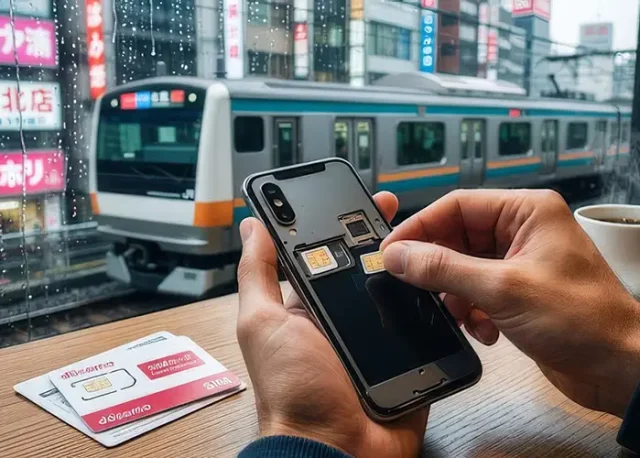
One of those details is staying connected. From checking directions and translating a menu to contacting your accommodation or researching a last-minute change of plans, having reliable mobile data can make independent travel considerably easier. For international travellers, a Holafly travel eSIM can be a convenient way to arrange mobile connectivity before departure without relying entirely on public Wi-Fi or searching for a physical SIM after landing.
The key is to approach connectivity as part of your travel preparation rather than something to worry about once you arrive. With a little planning, you can enjoy the freedom of travelling off the beaten path while still having the digital tools you need when they matter most.
Why Staying Connected Matters on Adventure Trips
Travel connectivity is no longer simply about being able to post photographs from a hotel balcony.
For modern travellers, a smartphone can function as a map, translator, boarding pass, travel guide, camera, booking platform and emergency communication device all at once.
That becomes particularly valuable when an itinerary takes you away from major cities.
You might need to:
- Check a hiking route before setting off
- Confirm a hotel or guesthouse reservation
- Contact a local guide
- Translate signs or menus
- Look up transport schedules
- Check weather conditions
- Use a ridesharing or taxi application
- Access digital tickets
- Find a nearby pharmacy or medical facility
- Contact family or friends at home
- Make an unexpected change to your itinerary
None of these tasks sounds particularly adventurous. Yet when you are standing somewhere unfamiliar without reliable access to information, even a simple problem can become considerably more complicated.
Connectivity, therefore, is less about being constantly online and more about having access when you genuinely need it.
The Connectivity Challenge of Remote Travel
Major international airports and large cities generally make staying connected easy. There are mobile shops everywhere, Wi-Fi is common, and travellers have plenty of options for getting online.
Remote destinations are different.
A mountain lodge may have limited Wi-Fi. A countryside hotel may offer an unreliable connection. A ferry journey can take you beyond normal mobile coverage, while a road trip through sparsely populated regions may involve long stretches between towns.
Even when a destination has excellent infrastructure overall, coverage can vary significantly depending on where you travel.
This is why experienced travellers often think about connectivity before they leave rather than assuming they will simply figure it out when they arrive.
eSIMs: A Convenient Option for International Travellers
Traditional physical SIM cards have been a familiar part of international travel for years. Travellers can purchase a local SIM after arriving, replace their existing card and use the local network.
The downside is that the process can be inconvenient.
You may have to find a retailer, deal with unfamiliar registration requirements, compare different packages and physically replace your SIM card. There is also the possibility of losing your original SIM while it is outside your phone.
An eSIM takes a different approach.
Instead of inserting a physical card, compatible smartphones can download a mobile plan digitally. This means travellers can arrange connectivity before departure and activate their plan according to the provider’s instructions.
For people moving between destinations, this can be particularly useful because it reduces the amount of time spent dealing with mobile arrangements during the trip.
Check Your Phone Before You Travel
Before purchasing any international connectivity plan, check whether your smartphone supports eSIM technology.
Most newer premium and mid-range smartphones offer some form of eSIM support, but compatibility varies by model, region and carrier.
It is also important to check whether your phone is carrier-unlocked.
A device that is locked to a particular mobile network may not accept another provider’s eSIM, even if the hardware itself supports the technology.
A few minutes spent checking these details before departure can prevent an unpleasant surprise at the airport.
Download Important Information Before Leaving
Even with a reliable mobile data plan, travellers should avoid making connectivity their only safety net.
Remote travel is unpredictable.
A phone battery can die. A signal can disappear. Weather can interfere with infrastructure. A navigation application may fail to load exactly when you need it.
For that reason, download essential information before heading into areas where connectivity may be limited.
Useful offline resources include:
- Destination maps
- Hotel addresses
- Booking confirmations
- Train and bus tickets
- Important phone numbers
- Travel insurance information
- Driving directions
- Walking routes
- Offline translation packs
- Copies of important travel documents
Offline maps are particularly useful for road trips and hiking adventures.
Instead of depending entirely on a live connection, you can download the relevant area while you still have strong Wi-Fi. If the signal disappears later, the map may still help you navigate.
Don’t Forget About Battery Life
A connected phone is only useful while it has power.
Adventure travel can be especially demanding on a smartphone battery. GPS navigation, photography, video recording, mobile data and bright outdoor displays can consume power surprisingly quickly.
If you are spending a full day hiking, sightseeing or driving through remote areas, carry a portable power bank.
It is also worth developing a simple habit: charge your phone whenever you have a reliable opportunity.
That might mean charging overnight at your accommodation, topping it up while having breakfast or using a vehicle charger during a road trip.
Battery management is not glamorous, but it can become extremely important when your phone is your primary navigation and communication device.
Use Public Wi-Fi Carefully
Hotels, cafés, airports and restaurants often provide free Wi-Fi, making it tempting to connect whenever possible.
Public Wi-Fi can certainly be useful, particularly for downloading large files or updating applications without using mobile data. However, travellers should be cautious when using unfamiliar networks.
Avoid performing sensitive financial transactions over networks you do not trust. Keep your device’s software updated and consider using mobile data for activities involving particularly sensitive information.
A useful approach is to treat public Wi-Fi as a convenience rather than your primary connection.
That way, you are not forced to connect to an unfamiliar network simply because you need directions or a booking confirmation.
Keep a Backup Communication Plan
Good travel planning always includes a backup.
If you are travelling somewhere remote, make sure someone you trust knows your broad itinerary.
For longer adventures, consider sharing your planned route and accommodation details with a family member or friend. If you are heading into wilderness areas, research local guidance about emergency communication and whether additional equipment is recommended.
Your phone should be part of your safety strategy, but it should not be your entire safety strategy.
In genuinely remote environments, mobile coverage may disappear completely. Depending on the destination and activity, specialist equipment such as satellite communication devices may be more appropriate.
Think About Connectivity When Planning Your Route
Connectivity can also influence the way you plan a trip.
Suppose you are planning a road trip through a sparsely populated region. Instead of simply choosing stops based on scenery, consider where you can reliably refuel, rest, access accommodation and reconnect with mobile networks.
The same principle applies to hiking.
Before setting out on a trail, check the expected coverage conditions, download your route and let someone know where you are going.
This does not make the adventure less spontaneous.
It simply gives you a stronger foundation for enjoying it.
Don’t Let Your Phone Become the Trip
There is an important balance to find.
Having mobile data can make travelling easier, but constantly checking a screen can also distract from the reason you travelled in the first place.
Some of the best travel experiences happen when you put the phone away.
Watch the sunrise without immediately photographing it. Sit in a small café and observe the street. Walk through an unfamiliar neighbourhood without constantly checking social media. Take a scenic road simply because it looks interesting.
Connectivity should support exploration, not replace it.
The ideal travel setup gives you access to information when you need it and enough freedom to disconnect when you do not.
A Simple Pre-Trip Connectivity Checklist
Before leaving for an international adventure, run through a quick checklist.
Before departure
- Confirm that your phone supports eSIM technology if you plan to use one.
- Check that your phone is unlocked.
- Arrange your mobile data plan.
- Download offline maps.
- Save important accommodation and transport details.
- Download translation resources where appropriate.
- Save emergency contacts.
- Install essential travel applications.
- Fully charge your phone and power bank.
When you arrive
- Activate your mobile plan according to the provider’s instructions.
- Confirm that mobile data is working.
- Check your navigation and messaging applications.
- Save your accommodation location offline.
- Keep your original SIM somewhere safe if you removed it.
Before heading into remote areas
- Check the weather.
- Download the relevant maps.
- Charge your devices.
- Tell someone your plans.
- Check whether the route has known coverage gaps.
- Carry appropriate backup communication equipment for particularly remote adventures.
The Best Connectivity Strategy Is the One You Don’t Have to Think About
Travel technology works best when it fades into the background.
You should not have to spend the first morning of your holiday searching for a SIM shop, trying to understand an unfamiliar mobile plan or wandering around looking for Wi-Fi.
Instead, your connectivity should already be sorted so that you can concentrate on the destination itself.
That is particularly valuable for travellers who prefer independent adventures. Whether you are driving across a remote landscape, exploring a lesser-known European town, hiking through a national park or island-hopping far from home, reliable access to essential digital tools provides an extra layer of convenience without taking away from the adventure.
Final Thoughts
Travelling off the beaten path is ultimately about curiosity.
It is about taking the road that looks more interesting, choosing the smaller town, exploring beyond the famous landmark and finding experiences that feel personal rather than predictable.
Good preparation makes those experiences easier to enjoy.
Reliable connectivity, offline maps, charged devices and a sensible backup plan may not be the most exciting parts of trip planning, but they can make a significant difference once you are on the road.
The goal is not to stay connected every second.
It is to make sure that when you genuinely need a map, message, translation, reservation or emergency contact, you can access it.
Then put the phone away.
The world is waiting outside the screen.