

If you have ever installed a camera and ended up with a crooked view, dangling wires, or parking recordings that never trigger, you already know why the best dash cam can still disappoint. You want clear footage after a close call, but you also want an installation that does not drain your battery, interfere with airbags, or fail because the memory card cannot keep up. You also do not want to discover, too late, that the rear camera cuts out or the mount slips in summer heat. That is why many drivers start by typing “dash cam installation near me” toward the end of their first search, then narrow their choices using a safety-first checklist.
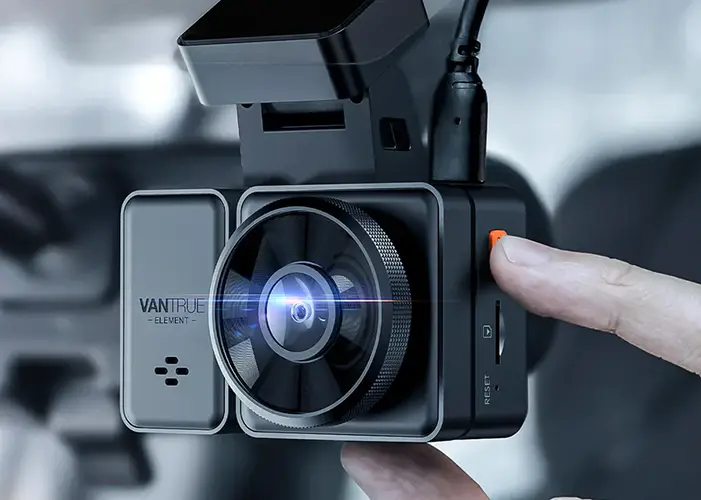
Best Dash Cam Install Basics
Core Tasks in Setup
When you shortlist “dash cam installation near me” results, remember that a quality front-and-rear installation should look simple when finished, because the messy parts are hidden. You should expect:
- A stable front mount placed high enough for a wide view, but not in your direct line of sight
- A rear camera positioned to see through the glass without being blocked by wipers or heavy tint edges
- Cables tucked behind trim and headliner so nothing hangs near pedals, steering components, or seat rails
- A quick explanation of key settings like loop recording, time and date, and the impact sensor that locks clips during a hit
If glare is common on your windshield, ask whether a CPL filter is compatible with your lens. If your camera uses a suction mount, ask how they keep it from slipping inthe heat.
When Pro Install Matters
Professional installation is especially helpful when you want more than basic recording. That includes parking mode systems that use motion or impact detection, time-lapse parking, and multi-camera coverage, such as a 3-channel dash cam. It also matters whether you want a hardwire kit for clean power, a GPS logging module for speed and route stamps, or a theft-deterrence setup where the camera is discreet yet still captures usable evidence.
Vet Installers for Safety
Placement That Keeps Visibility
When you compare “dash cam installation near me” options, your installer should discuss visibility before features. You want the lens positioned so it captures a centered view without obstructing your view while driving. Laws vary by location, so a responsible shop should be willing to place the camera in a safe zone and adjust it after you have seated yourself in your normal driving position. If you hear “We always put it here” without checking your sightline, treat it as a warning.
Wiring That Avoids Hazards
Hidden wiring should never mean risky wiring. Ask how they route cables around the A-pillars and headliner, because those areas can be close to airbag paths. You also want to know whether they use proper trim tools, secure slack to prevent rattling, and avoid pinching cables in door seals. A clean install protects your interior and reduces the risk of intermittent rear-camera dropouts.
Power Options Done Right
Before anyone touches your fuse box, ask what power method they recommend for your driving and parking habits. Most installs fall into three buckets:
- 12V outlet power for simplicity, which is often fine if you do not need parking mode while the car is off
- A hardwire kit that connects to constant and accessory power, so the parking mode can run when parked
- A dedicated dash cam battery pack, if you want longer parking coverage without leaning as heavily on your starter battery
If you choose a hardwire kit, confirm it includes low-voltage protection so the camera shuts off before your battery is depleted enough to prevent the car from starting. Some kits are adjustable, and Vantrue’s 3-lead hardwire kit listings describe selectable cutoffs, which is the kind of detail you should expect any installer to explain in plain terms.
Ask the Right Questions
Fit and Planning Questions
Before you book, ask questions that force real planning:
- Where will you mount the front camera so it stays out of my sightline?
- How will you route the rear cable in my specific vehicle body style?
- If I switch from a dual dash cam to a 3-channel dash cam later, can the routing support that upgrade?
These are the kinds of questions you should hear answered clearly when you are comparing “dash cam installation near me” results.
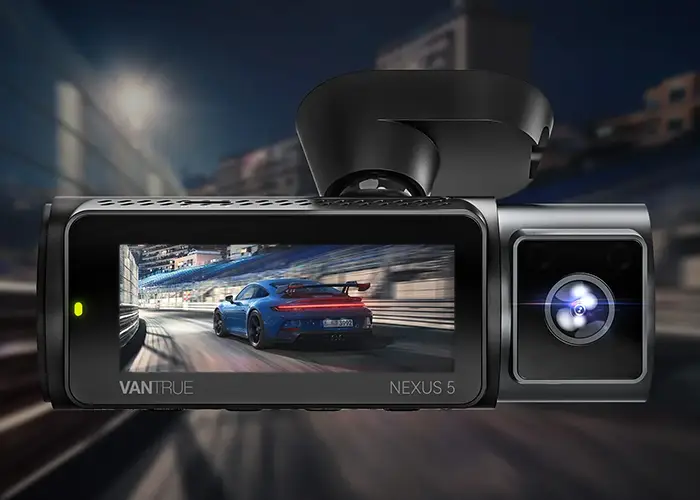
Process Questions That Show Skill
Ask how the shop validates that your system is actually working, not just installed. You want to hear that they:
- Confirm recording at your chosen resolution
- Set sensitivity for the impact sensor to reduce false triggers
- Demonstrate parking mode behavior and explain what triggers it
- Show you how to lock and retrieve clips
If your camera uses an app, ask whether they will pair your phone, confirm live view, and verify that downloads work before you leave.
Materials That Last
Two items affect reliability more than most people expect:
- Storage: You should use a high-endurance microSD card because dash cams constantly overwrite data, especially with higher-resolution 4K recording.
- Mounting and routing parts: ensure clean adhesive pads, proper clips, and strain relief at connectors to prevent cable loosening over time.
Ask whether the shop will provide your card recommendations in writing, including capacity guidance based on your recording settings.
Inspect the Install Day
Physical Checks Before Leaving
Before you drive away, sit in your normal position and check the view on the screen or app. Confirm:
- The front view is level and centered
- The rear view is aimed through clear glass
- No wires are visible near pedals, steering, or seat movement
- Panels and weather seals sit flush
App and Settings Check
If your system includes Wi-Fi, you should leave with the basics already confirmed. Make sure you know how to:
- Turn on and off audio recording
- Adjust parking mode options, such as motion detection, impact detection, and time-lapse parking.
- Lock a clip during a stressful incident.
A good installer also explains what happens when the card fills up, since loop recording behavior is the difference between continuous coverage and a full card that stops recording.
Road Test Proof
Request a brief road test, even if it is just around the block. You are checking for vibration, focus issues at night, and whether GPS logging locks on if you use it. You should also confirm that the rear camera stays connected during bumps, because that is where poor routing sometimes shows up.
Follow Up After Install
Short-Term Checks
After your first few drives, review a couple of random clips. You are looking for small issues that can become big problems later, such as a mount that slowly droops, a rear camera that shifts, or parking mode clips that fail to trigger when they should.
Ongoing Care Checks
Once a month, do a quick health check:
- Confirm that the date and time are correct
- Check that parking mode is still enabled if you rely on it
- Format the card when your camera maker recommends it
- Replace the card if you see errors or corrupted files
These habits help your best dash cam stay dependable across heat, vibration, and constant rewriting.
Signs You Need Rework
You may need a rework if you notice repeated rebooting, missing files, frequent “card error” messages, or unexplained battery drain after adding a hardwire kit. Also, watch for rear footage cutting out on rough roads. That can indicate a strained connector or a cable routed under pressure.
Conclusion
A reliable install is the difference between helpful footage and a camera that only looks good on day one. When you search “dash cam installation near me”, focus on safe placement, clean wiring near airbags, and power choices that match your parking habits. If you want a neutral example of a three-camera setup that can be installed cleanly with parking mode and optional GPS accessories, the Vantrue N4 is one recognizable reference point. Still, your checklist matters more than any model name.