

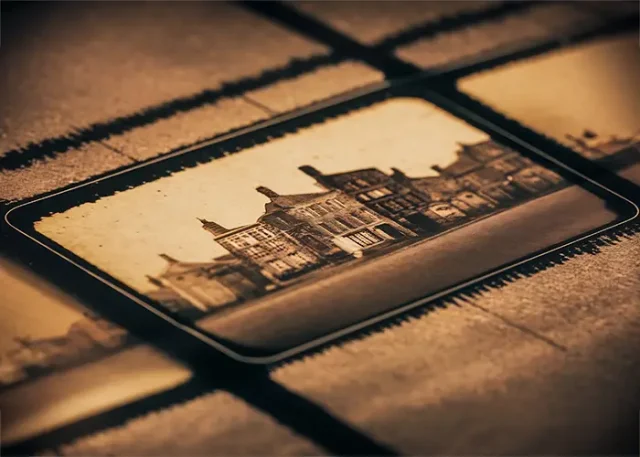
How often do you sit down, open up a box of old vacation photos and flip through them? Whenever you feel nostalgic, it’s so easy to sit down and look through old memories. But what many people don’t think about is how easily it is to misplace or damage some of those photos and films.
Even if your memories are locked in a box, you can still easily lose it when moving and movie tapes might get damaged easily. The little time capsule you have can easily get damaged and you don’t want to have all your memories ruined.
The main problem is that people usually overlook this. With all the other chores and tasks we deal with daily, there’s hardly time to think about preserving your vacation memories for good.
The way we preserve these photos and videos is the main issue. Those formats aren’t meant to last forever as they degrade over time and fade away.
Now that we take most of our photos with phones, we forget that there was a time when we had to be very mindful with the number of photos and videos we take. And that’s why we also forget that those old formats also need to be preserved.
Why old vacation footage is at risk of disappearing
Let’s talk about why old videotapes and photos are so fragile. Just because something is stored on a tape or disk, it doesn’t mean it will last forever. In fact, it’s usually not the case.
Magnetic tapes like VHS, Hi8, and MiniDV naturally degrade over time. Even if they are stored properly, the quality slowly fades. Colors become distorted, sound gets unclear, and in some cases the tape can become unplayable altogether.
Experts often estimate that tapes may start to noticeably degrade after 15 to 25 years, depending on storage conditions. So if you decide to watch your favorite vacation video from 30 years ago, you might be unpleasantly surprised to see that the tape no longer works.
On top of that, playback devices are becoming rare. It is already difficult to find working VHS players or functioning camcorders. Even if you have a functioning device, it might break down and finding a repair service isn’t as easy as it was.
There is also the issue of physical damage. Mold, and dust can all affect old media. Photos can easily get ripped and tapes can also suffer physical damage.
Step-by-step guide to digitizing your old vacation footage
Digitizing your old footage doesn’t take a lot of time. It’s actually quite quick and all you need to do is have your footage ready.
1. Gather and organize your tapes or discs
The logical first step is to start by collecting all the footage you want to preserve. This means VHS tapes, camcorder tapes, DVDs, or even early digital formats. Lay everything out and label it if possible. It helps to group them by year or trip so you stay organized during the process.
2. Consider using a professional film digitizing service
Instead of doing everything alone, you can also turn to professionals., especially if you have a large collection. These services specialize in converting old formats into high-quality digital files so you won’t have to worry about finding the right equipment and doing it alone.
These types of film digitizing services can easily be found around your neighbourhood and you can also do a quick Google search to avoid wasting time. For instance, if you’re based in Chicago all you have to do is search for a film scanning service nearby and voila! All that’s left is to take your box of memories and have them take care of it.
The best part is that many services also offer options to organize files by date or event, which saves you a lot of time.
4. Clean and edit your digital files
Once you get news that all your footage is digitized, you might notice that some parts are shaky, blurry, or include long unnecessary pauses. This is completely normal. You can use basic editing software to trim clips, adjust brightness, or organize videos into folders.
You can also check with the film digitizing service if they can take care of that as well.
To ensure you don’t misplace your files, put everything in named folders and sort either by destination or year.
5. Back everything up in multiple places
Finally, don’t forget about this last and most important step. Even digital files can get easily lost. But that’s why it’s necessary to do a back up, or better yet, multiple backups.
Once your footage is digital, it still needs some extra protection. Save copies on an external hard drive, a cloud storage service, and if possible, a second backup device.
Digital files are safer than tapes and photos, but they are still vulnerable to accidental deletion or hardware failure. Having multiple backups ensures your memories are truly secure.
Common mistakes to avoid
One of the most common mistakes people make is waiting too long. The longer you delay, the higher the risk that tapes will degrade beyond repair.And there’s really no need to delay as the process is quite simple and easy. You basically just need to have your files ready, everything else will be up to the professionals.
Another mistake is trying to play old tapes without checking their condition first. If a tape is sticky or damaged, forcing it into a player can make things worse.
And once again, don’t forget to create backups!
The bottom line
Old vacation footage is more fragile than most people realize, but you really don’t have to say goodbye to your old holiday memories. By taking the time to digitize it, you protect memories that cannot be recreated.
The only thing you have to do is find a trusted digitizing service and you’ll have all your memories, both photos and films, preserved in no time.